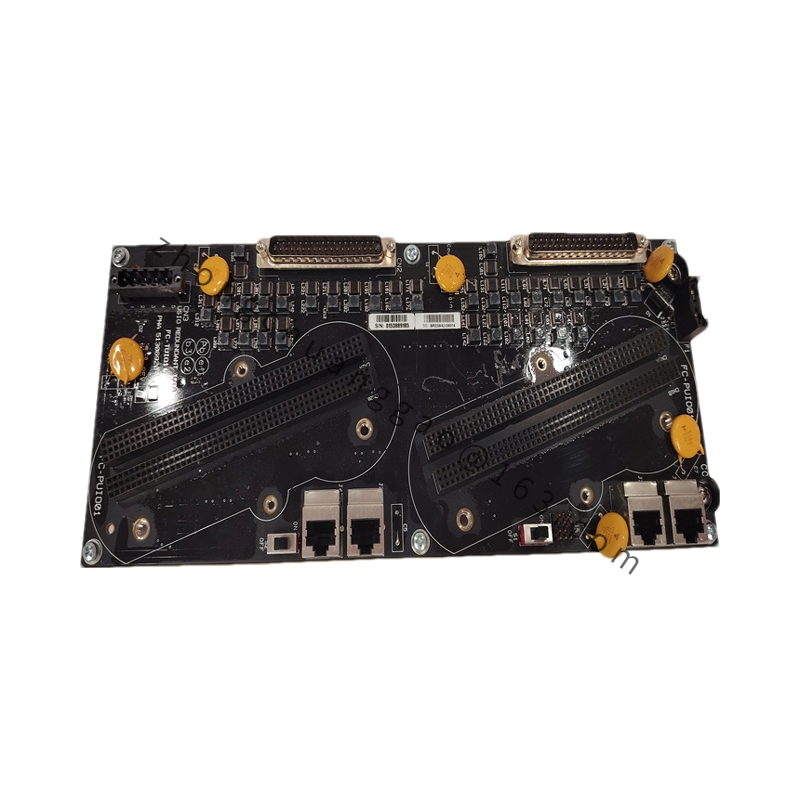
Product Introduction: An advanced Ethernet Interface Module (EPNI) built for Honeywell TDC 3000 and Experion PKS distributed control systems. It ensures high-speed, reliable communication between Honeywell controllers and external networks, enabling real-time data exchange, remote configuration, and diagnostics.
Network Ports: Dual Ethernet ports with redundant failover
Failover Switchover: ≤ 50 ms
Data Throughput: 100 Mbps full-duplex, >2000 data frames per second
Protocol Support: TCP/IP and Honeywell proprietary protocols
Electrical Isolation: 2500 V AC; bit error rate ≤ 1×10⁻⁹ in harsh environments
Power: Supplied via DCS backplane (24 VDC nominal)
Operating Temperature: -40 °C to +70 °C
Humidity: 5 %–95 % RH non-condensing
Mounting: Rack-mounted or panel-mounted; hot-swappable design
Indicators: LEDs for power, communication, and redundancy status
Compliance: CE marked; meets Honeywell EMC and safety standards
Weight: 1.41 lbs (0.64 kg)
Functional Features: Dual redundant Ethernet ports with automatic failover for uninterrupted communication. Built-in electrical isolation protects against electrically noisy industrial environments. Real-time monitoring, control command delivery, and remote diagnostics. LED indicators for maintenance visibility.
Application Scenarios: Oil & gas, chemical processing, power generation, and manufacturing—anywhere continuous, deterministic Ethernet communication between Honeywell controllers and plant networks is required.
Structural & Material Characteristics: Hot-swappable industrial module. Rack or panel mountable. LED status indicators on front face.
Working Principle: The module bridges the DCS backplane to dual external Ethernet networks. It forwards process data frames using TCP/IP and Honeywell proprietary protocols. If one Ethernet path fails, traffic automatically switches to the redundant path within 50 ms.
Installation Requirements: Install in a compatible TDC 3000 or Experion PKS I/O rack. For panel mounting, ensure proper ventilation. Connect both Ethernet ports to redundant network switches for failover functionality.
Usage Notes: Configure network addresses and protocols via Experion PKS software. Verify termination and shielding of Ethernet cables. Monitor LED indicators for redundancy and communication health. Observe ESD precautions during hot-swap replacement.
.jpg "Honeywell TC-CCR014(3)")



.jpg)
.jpg)
.jpg)
.jpg)

.jpg)