Technical Specifications
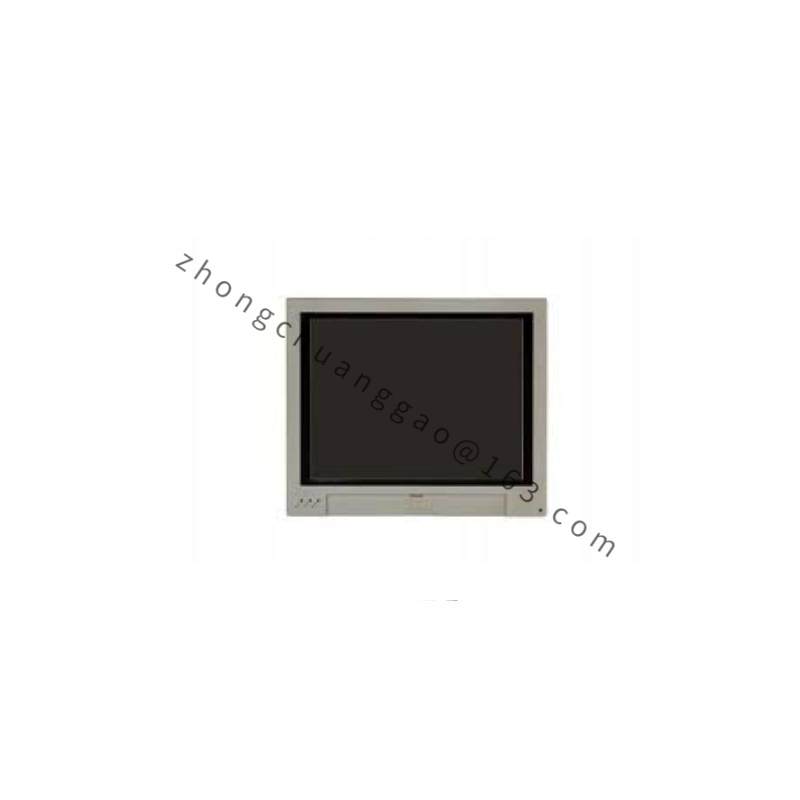
Display: CP62xx options include 12-inch, 15-inch or 19-inch TFT according to the base model; CP6202 commonly uses 15-inch TFT 1024×768 in many 0050 configurations.
Processor: 3.5-inch motherboard supports 2nd/3rd generation Intel Celeron, Core i3, Core i5 or Core i7 according to ordered variant; example CP6202-0000-0050 uses Intel Celeron B810 1.6 GHz dual-core.
Memory: DDR3 RAM, 2 GB standard, expandable to 16 GB according to motherboard and CPU variant.
Storage: 1× 2.5-inch HDD or SSD and 1× CFast card accessible from rear; RAID 1 available with dual CFast in selected configurations.
Graphics: integrated Intel graphics; 1× DVI-D used for internal display, 1× DVI-I free output according to variant.
Ethernet: 2× RJ45 10/100/1000 Mbps onboard.
Serial: 1× RS232 as standard; additional COM ports by option or PCIe lead-out.
USB: 4× USB 2.0 standard; additional ports by option.
Expansion: 1× Mini PCI; optional 2× PCIe modules or 2× PCI/PCIe plug-in cards with deeper rear cover.
Power supply: 24 V DC.
Protection: front IP65, rear IP20.
Operating temperature: 0 to +55 °C.
Storage temperature: observe Beckhoff transport and storage limits in the specific model manual.
Cooling: rear fan cartridge on powered CPU variants; fan cartridge accessible from outside.
Installation: cabinet front cut-out with pull-out clamping levers; rear service access for storage, battery and cards.
Functional Features
TwinCAT PLC and HMI runtime support for real-time machine control.
Integrated TFT touch operation with optional membrane/function keys depending on 0021 configuration.
Direct connection to Beckhoff EtherCAT, PROFINET, Modbus TCP or other fieldbuses through Ethernet, PCIe cards or software stack.
Rear-accessible CFast and 2.5-inch storage for quick image backup and replacement.
Optional PCIe or PCI expansion for additional Ethernet, serial, fieldbus, vision or measurement cards.
Application Scenarios
Machine tools, plastics machinery, packaging lines, assembly stations, material handling, wood/metal working machines, test benches and cabinet-door operator terminals requiring combined HMI and industrial PC control.
Performance Parameters
Display brightness, contrast and response time follow the selected TFT size and panel grade.
TwinCAT cycle time depends on CPU class, I/O load and fieldbus configuration.
Storage throughput depends on 2.5-inch SSD/HDD or CFast grade.
EMC compliance follows EN 61000-6-2 and EN 61000-6-4 for industrial environments in applicable CP62xx documentation.
Material Composition
Front bezel: aluminum.
Rear housing: steel sheet.
Display: industrial TFT LCD with touch overlay.
Internal boards: industrial-grade PCB with SMD components.
Storage carriers: metal/plastic 2.5-inch bracket and CFast slot.
Cooling: aluminum heatsink and replaceable fan cartridge according to CPU power level.
Structural Characteristics
Built-in format for control cabinet front cut-out.
All main service parts located at rear: storage, CMOS battery, Mini PCI/PCIe options, serial/USB/DVI/Ethernet terminals.
Clamping levers provide tool-free fixing once the cut-out matches the ordered display size.
Sealed front surface resists dust and water jets; rear compartment requires protected cabinet environment.
Working Principle
The industrial motherboard boots the configured Windows or real-time PC environment and runs HMI, TwinCAT or third-party automation software. Operator input comes from the resistive/multi-touch screen and optional keys. Process data are exchanged with PLC tasks, then transmitted to servos, remote I/O and sensors over Ethernet, EtherCAT, serial or installed fieldbus cards. Engineers perform backup, diagnosis and replacement through rear storage, network ports and service interfaces.
Installation Requirements
Prepare the cabinet cut-out according to the exact CP6202 display size and mechanical drawing.
Supply regulated 24 V DC with sufficient current for CPU, display and connected USB/fieldbus loads.
Keep rear clearance for ventilation, storage removal and card service; allow at least 50 mm top/bottom clearance in typical built-in installations.
Ground the Panel PC through the cabinet earth and the designated ground point.
Install shielded cables for Ethernet, serial and fieldbus; separate signal cables from motor power where practical.
Usage Precautions
Confirm the full order code before replacing CPU, memory, storage or display size.
Backup CFast/SSD image and TwinCAT project before maintenance.
Disconnect 24 V DC and wait for capacitors/buffers to discharge before opening rear service cover.
Do not operate above +55 °C front-panel ambient or in explosive atmospheres.
Replace fan cartridges, storage and batteries only with Beckhoff-approved parts for the specific CP6202 variant.